Find similar and duplicate photos & videos on your Mac
Targie scans folders for near-identical videos and images — re-encoded, resized or recompressed copies included — so you can review them side by side and reclaim space safely.
Download for macOS v5.2.0 View on GitHub
Free & open source · macOS 14 or later · Apple Silicon and Intel
Latest version: v5.2.0
Features
Videos and images in one scan
Compares common video formats plus JPEG, PNG, HEIC, HEIF, WebP, TIFF, GIF and BMP across as many folders as you add, recursively.
Finds more than exact copies
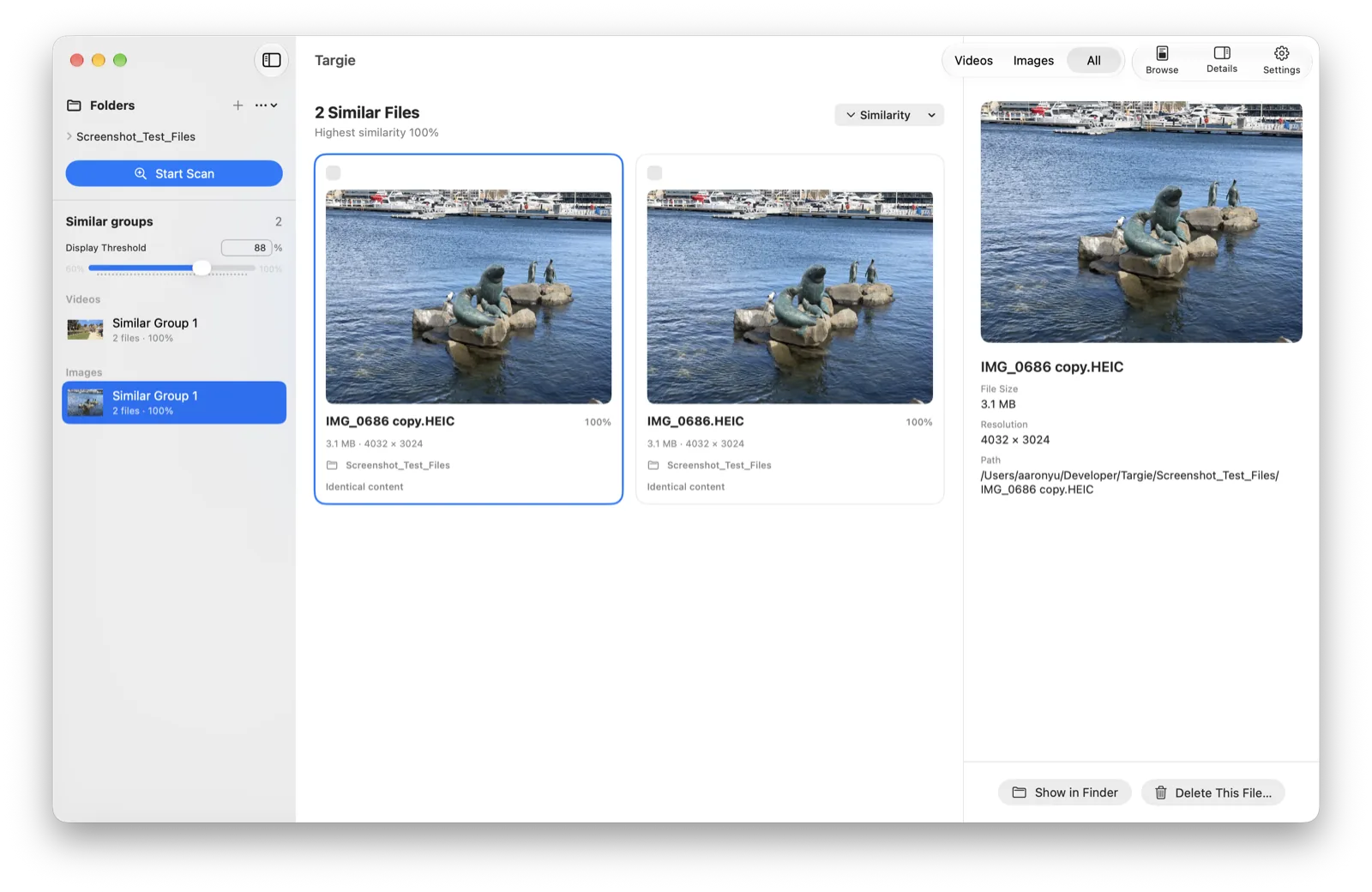
Combines SHA-256, perceptual fingerprints, metadata and Apple Vision features, so re-encoded, resized or recompressed versions are matched too.
Review side by side
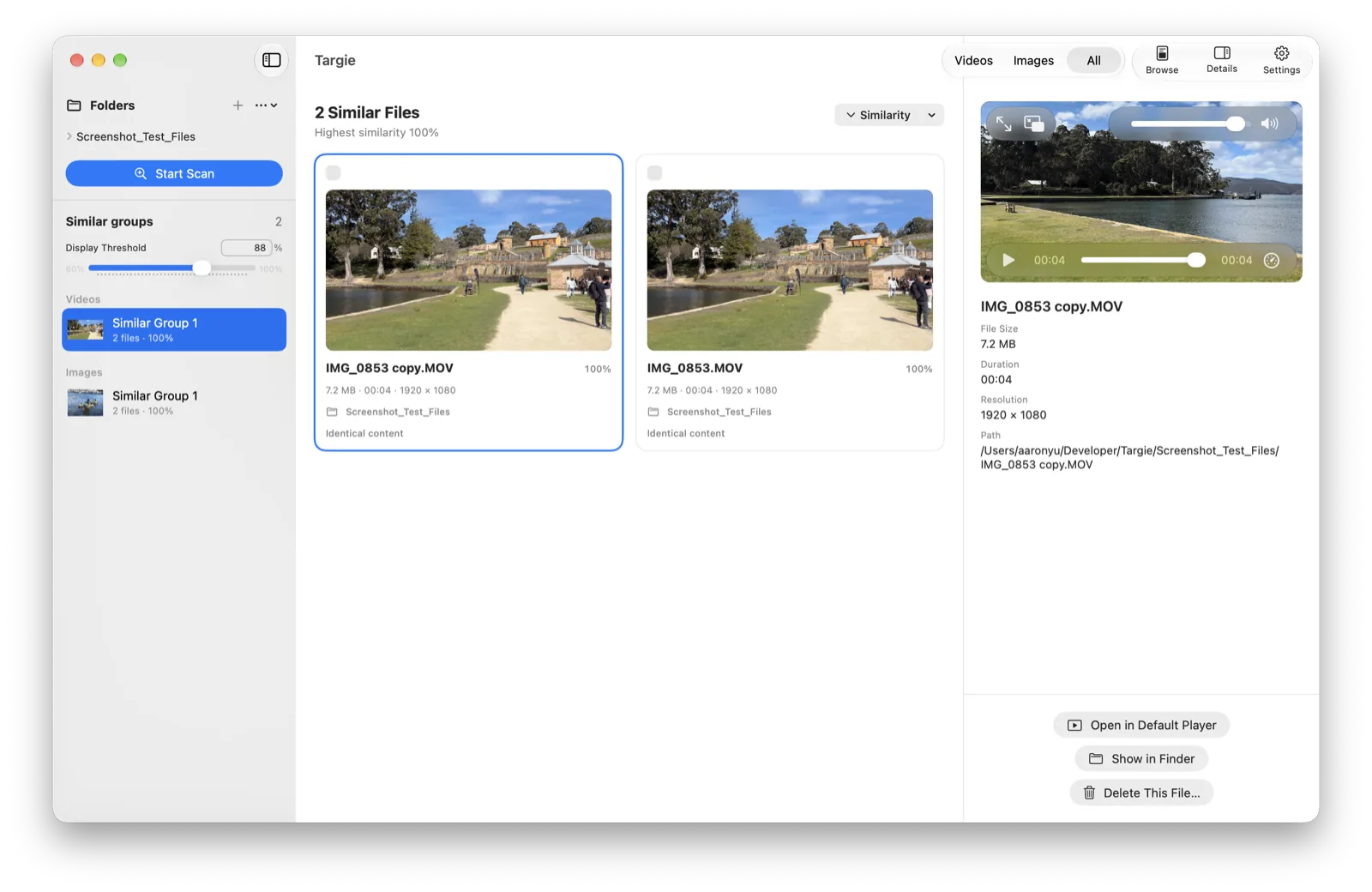
Similar files are grouped for side-by-side comparison with in-app previews. Open a video in your default player or reveal any file in Finder.
Delete with care
Select with checkboxes or by dragging, then choose Trash or permanent deletion explicitly. Permanent deletion always asks a second time.
Browse mode
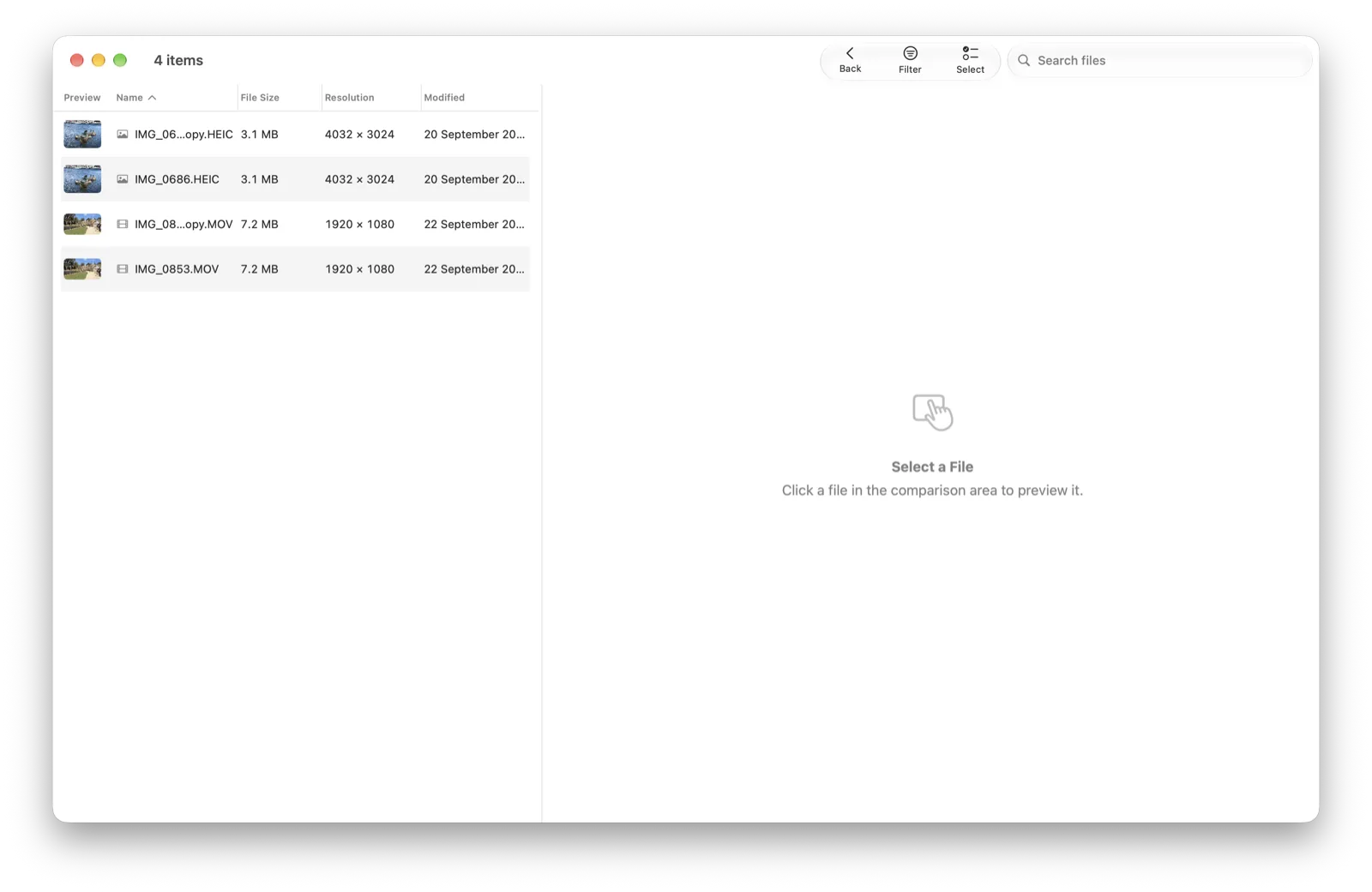
A sortable, filterable table of every file in your folders, with resolution filters, search (⌘F) and batch selection.
Private and native
Runs entirely on your Mac and never uploads your files. A native macOS app for Apple Silicon and Intel, available in seven languages.
Screenshots
Download & install
- Download the latest Targie zip from the Releases page and unzip it.
- Drag Targie.app into your Applications folder.
- The app is ad-hoc signed, so macOS blocks the first launch. Right-click (or Control-click) Targie, choose Open, then click Open. Or open System Settings → Privacy & Security and click Allow Anyway. You only need to do this once.
Frequently asked questions
Is Targie free?
Yes. Targie is free and open source under the GPL-3.0 license.
Does Targie upload my files?
No. Scanning and comparison happen entirely on your Mac, and your files never leave it.
Why does macOS block Targie the first time?
Targie is ad-hoc signed rather than notarized. Right-click the app and choose Open once; macOS won't ask again.
Does a high similarity score mean the files are duplicates?
Scores indicate visual similarity, not the probability of an exact duplicate. Review files side by side before deleting them.
Is there a Windows or Linux version?
No. Targie is a native macOS 14+ app and there are no plans for other platforms.